
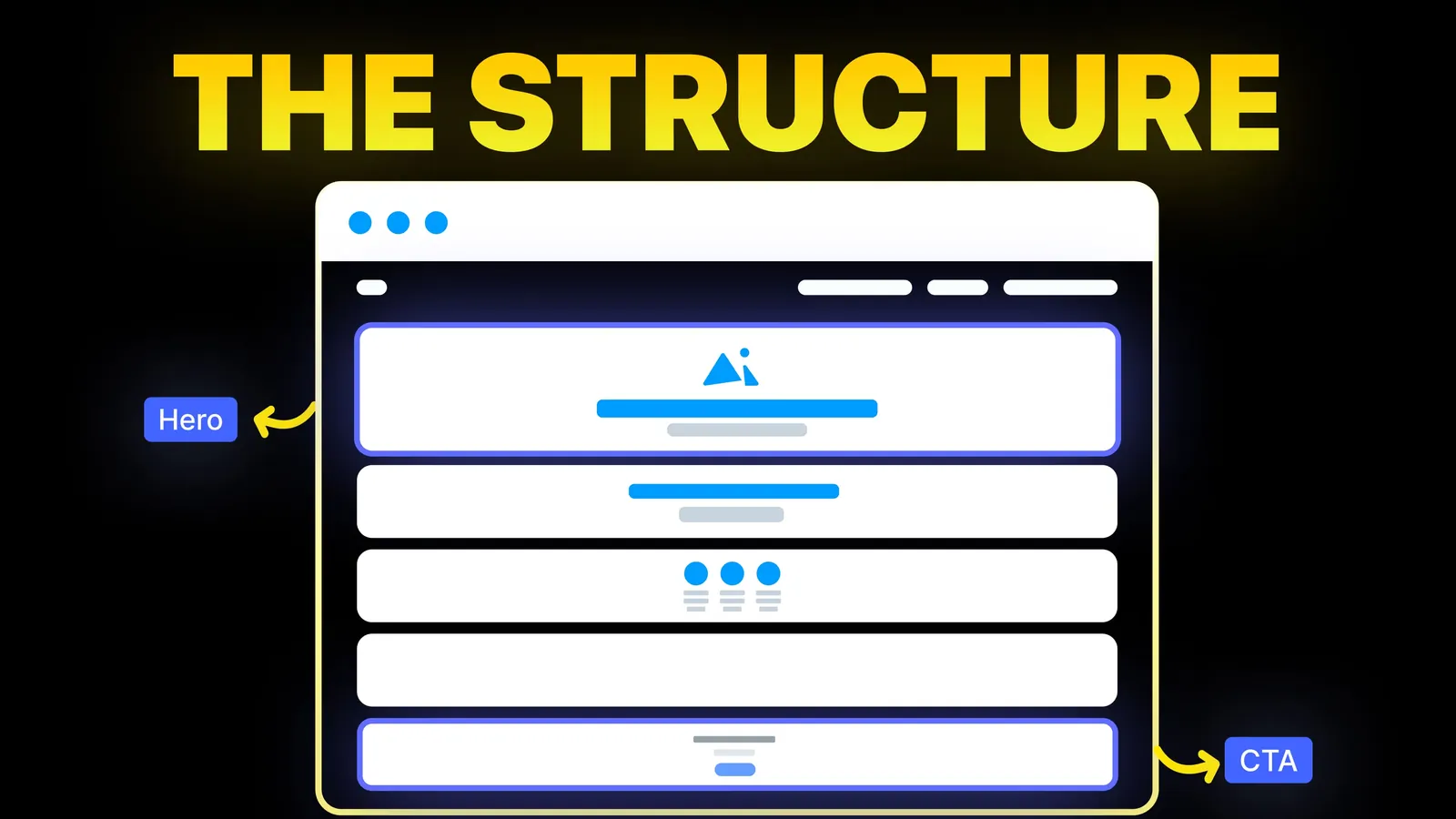
How to Turn Your Website Into a High-Converting Sales Machine
The structure behind a website that sells: the five decisions that carry conversion, the homepage section order, and how to rebuild without losing traffic.
Web Design
Search "scroll animation website" and you get galleries of dramatic sites. Few explain which effects a business site should use, how to build them, or when to say no. This guide covers five common effects, four ways to build them, what changed in CSS in 2026, and the accessibility rules, using sources read on 9 November 2026.
animation-timeline property "Baseline 2026, Newly available". It lets CSS link an animation to scroll position, with no script.prefers-reduced-motion as a mature, widely available browser feature.For most business sites, use scroll animation sparingly: a gentle reveal as sections enter the screen, a progress bar on long articles, and perhaps one pinned scene that explains a process. Build simple effects in CSS where you can, use a library such as GSAP only for scenes that need it, and wrap every effect so that visitors who ask for less motion get a still page. If an effect does not help a visitor understand or decide, leave it out.
Who is writing: Amariq designs and builds websites. We have not tested each technique below across browsers for this post. The reasoning and the facts come from the pages linked in the text. The CSS example is an illustration of the documented properties.
On 9 November 2026 the first page of Google (US, English) for "scroll animation website" was mainly inspiration and tools. It showed Awwwards scroll websites, a Webflow showcase, the GSAP scroll page, Dribbble, an A1 Gallery list of 290 examples, a Reddit thread on r/web_design asking how one site made a scroll animation, a library of scroll effects, a GitHub topic page, Prismic's "CSS Scroll Effects: 50 Interactive Animations" (13 March 2025) and a Framer University post, "10 Scroll Animations to Make Your Website Stand Out".
That mix shows lots of examples and a few how-to pieces. We found none that tells a business owner which effects are worth it, compares ways to build them, or sets out the motion rules in one place. That is the gap this guide fills. Our guide to website animations covers motion in general. This one is about the scroll-linked kind.
| Effect | What it does | Use on a business site? |
|---|---|---|
| Reveal on enter | An element fades or slides in as it reaches the screen | Yes, if short and subtle |
| Progress bar | A thin bar shows how far down the page you are | Yes, on long articles and guides |
| Parallax | Background and foreground move at different speeds | Rarely. It adds motion beyond normal scrolling |
| Pinned scene | A section stays in place while content changes as you scroll | Occasionally, to explain a process in steps |
| Scroll-scrubbed video or 3D | Scrolling plays a video or rotates an object | Only on a showpiece page, with a plain fallback |
Why the caution? The W3C page that explains WCAG 2.2 criterion 2.3.3, Animation from Interactions (read 9 November 2026), treats parallax as non-essential motion. Plain scrolling is fine, it says. Trouble starts when layers shift beyond what scrolling alone would do, because the vestibular system can react badly. The W3C's advice is that extra movement needs a reason, and visitors need a way to switch it off. The criterion sits at the top conformance tier, so it is not a legal floor, but it shows what careful sites aim for.
| Approach | What it is | Good for | Watch for |
|---|---|---|---|
| CSS scroll-driven animations | animation-timeline with scroll() or view() in CSS | Reveals and progress bars with no script | Check browser support for your audience and give older browsers a still page |
| Script that watches scrolling | JavaScript that adds a class when an element enters the screen | Simple reveals on any browser | You write and maintain the code |
| GSAP ScrollTrigger | A GSAP plugin linking animations to scroll position | Pinned scenes, scrubbed timelines, snapping | A library to load, learn and keep updated |
| Builder interactions | Scroll effects set in Webflow, Framer or similar | Teams that design in a builder | Limits of the builder and its performance |
MDN's page on scroll-driven animations explains that animation progress is tied to scroll position instead of time. You can drive an animation by scrolling an element, its scroll container or the root. The animation-timeline property attaches the animation to a timeline. MDN describes two functions: scroll() for a scroll progress timeline and view() for a view progress timeline for the nearest ancestor scroll container. The animation shorthand resets animation-timeline to auto, so you must declare animation-timeline after animation.
On support, the animation-timeline page on MDN, read on 9 November 2026, shows a "Baseline 2026, Newly available" label. The Chrome developers' article by Bramus (5 May 2023) lists support badges for Chrome 115, Edge 115, Firefox 159 and Safari 26, and says scroll-driven animations can run off the main thread. It gives no performance numbers. "Newly available" means older browsers and devices may still lack it, so plan a fallback. MDN's own example uses an @supports not check.
GSAP's ScrollTrigger documentation describes three main features. Scrub ties an animation's progress to the scrollbar, with optional smoothing. Pin holds an element in place for a span of scrolling. Snap settles scrolling at defined points after the visitor stops. The docs recommend gsap.matchMedia() for different setups at different screen sizes. The page does not mention reduced motion, so you must add that yourself. It states no price, so check GSAP's own license page.
This illustration combines the properties MDN documents. We have not tested this exact code across browsers. It fades a section in as it enters the screen, only where the browser supports scroll timelines and only for visitors who have not asked for reduced motion.
```css @keyframes reveal { from { opacity: 0; transform: translateY(24px); } to { opacity: 1; transform: none; } }
@media (prefers-reduced-motion: no-preference) { @supports (animation-timeline: view()) { .reveal { animation: reveal linear both; animation-timeline: view(); } } } ```
Three points:
animation shorthand resets animation-timeline, so the timeline line comes after it.On MDN's prefers-reduced-motion page, the value reduce signals that a visitor wants less unneeded movement. The page's own example swaps a scaling effect for a soft fade, and its advice is to remove, tone down or replace the motion.
For scroll effects, that means:
Test it. Turn on "reduce motion" in your device settings and load the page.
| Pitfall | Why it hurts | What to do |
|---|---|---|
| Hijacking the scroll | The page moves differently from the visitor's input | Keep native scrolling. GSAP's docs say ScrollSmoother is built on native scroll behaviour |
| Content hidden until it animates | If the effect fails, the content is invisible | Make the default state visible and add the animation on top |
| Too many effects | The page feels busy and slow | Pick one or two effects for the whole page |
| Long pinned scenes on a phone | A visitor can feel stuck | Shorten or remove them on small screens |
| Heavy video or 3D | Slow loading on mobile | Use a still image first. See website speed optimization |
| No reduced motion handling | Excludes people affected by motion | Wrap effects in a media query |
prefers-reduced-motion: no-preference query.If you want scroll motion that explains your service without slowing the page, send us the page or the idea and we will tell you what we would build and what we would leave out. For a new build we work on Webflow, Framer, WordPress, Shopify, Wix, Squarespace or a custom stack. Each project is priced from its scope, never by the hour, with 40% to start, 30% at design approval and 30% before launch. Once the final payment is made, the design, copy and code belong to you, and your domain, hosting and analytics accounts sit in your name. See our web design service.
An animation whose timing is linked to scrolling. It may start when an element enters the screen, or its progress may follow the scroll position.
Yes, in browsers that support scroll-driven animations. MDN labels animation-timeline "Baseline 2026, Newly available", so older browsers may not support it. Give them a normal page.
Not for simple effects. GSAP's ScrollTrigger suits pinned scenes, scrubbed timelines and snapping. Check GSAP's license page for terms.
They can be. They can be, for people sensitive to motion. Check prefers-reduced-motion and switch parallax and scrubbed scenes off for visitors who ask for calm.
They can, especially heavy video, 3D and large scripts. The Chrome developers' article says CSS scroll timelines can run off the main thread but gives no numbers, so measure your own pages.
For most business sites, usually. The W3C treats it as optional motion. If you use it, keep it gentle and give people a way to turn it off.
One or two types. A reveal and a progress bar are enough for most pages.

The structure behind a website that sells: the five decisions that carry conversion, the homepage section order, and how to rebuild without losing traffic.
Should your website have a sticky header? What Nielsen Norman Group and WCAG say, when to skip it, and a short CSS build. Sources checked 9 Nov 2026.

What a small business website footer needs, what to leave out, and a plain checklist built from Nielsen Norman Group and W3C guidance. Sources checked 8 Nov 2026.